

With the Slack Roezan integration, you can get notifications about events that happen in Roezan directly to your slack channels or even with a private DM.
Set Up Slack Notifications For Inbound SMS
Connect To Slack
Connect to your slack account by going to
Roezan > Integrations > Slack and clicking connect.
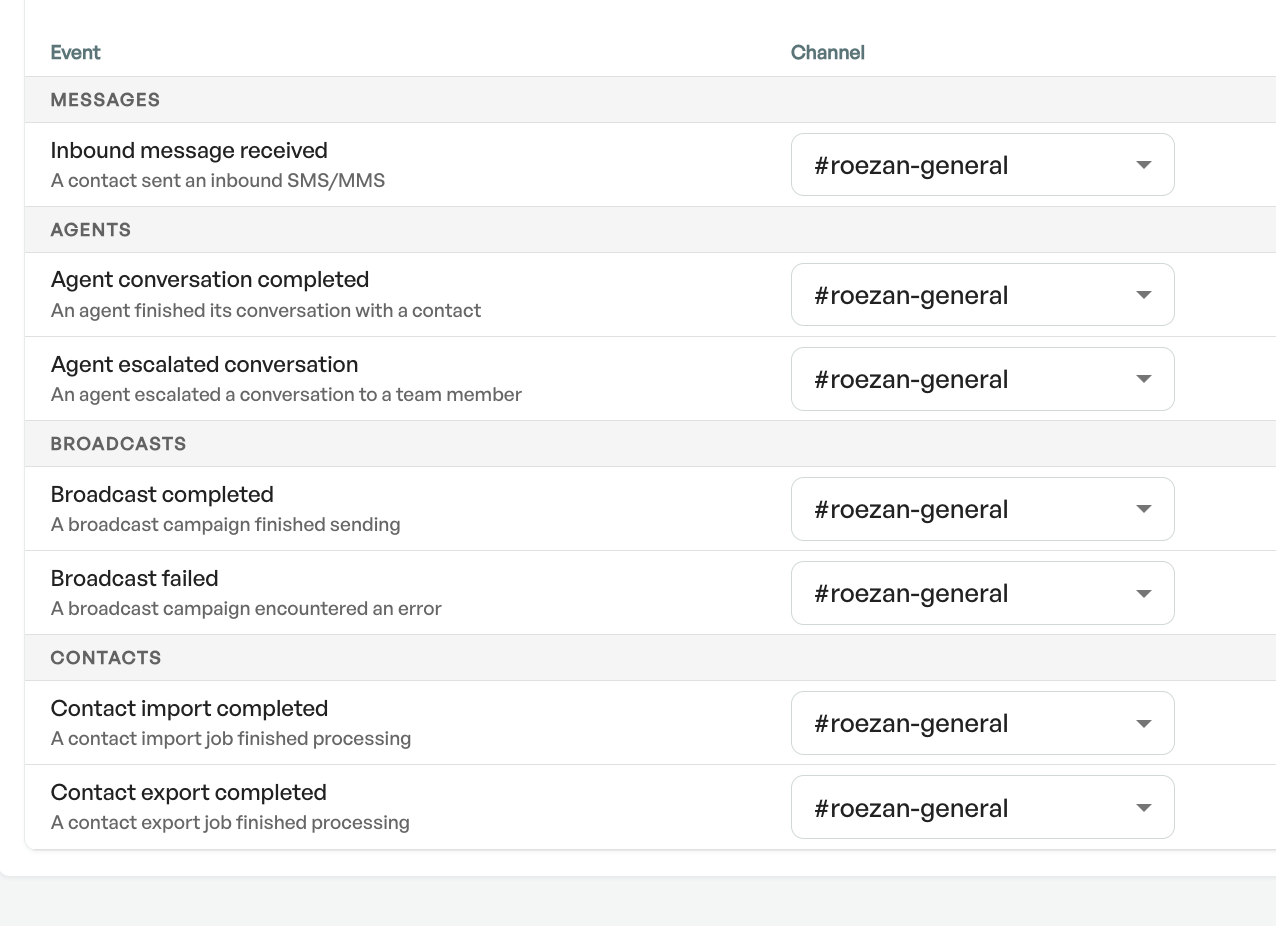
Setup Your Notifications
You can choose individual channels for types of notifications, or you can chose a main channel and apply it to all your notifications.
Not seeing a channel available?
It's likely because the Roezan app didn't get access to that channel.
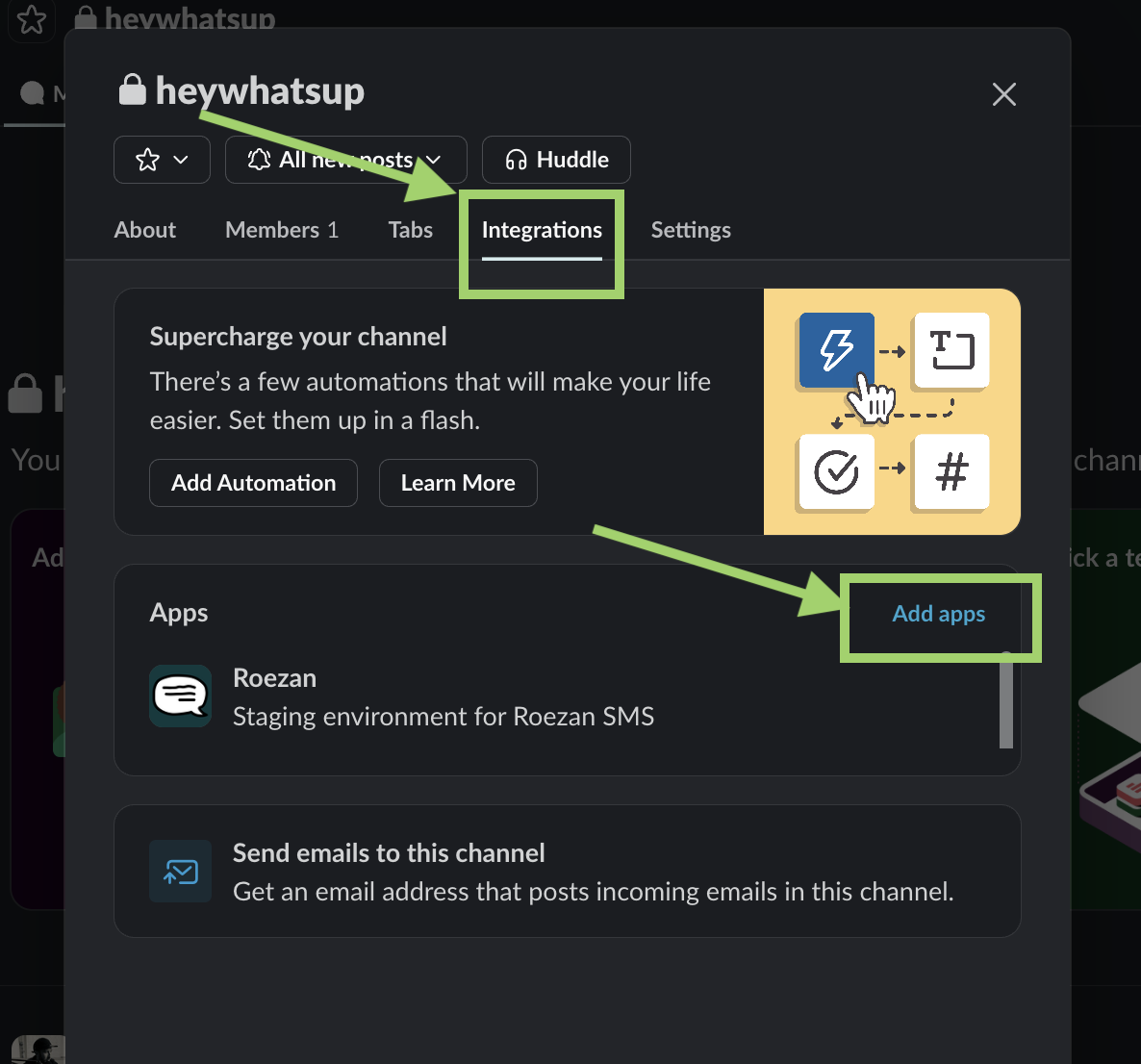
You can manually invite the Roezan app in Slack by clicking the Channel settings > Integrations > Apps > Add App
Then add Roezan to the channel
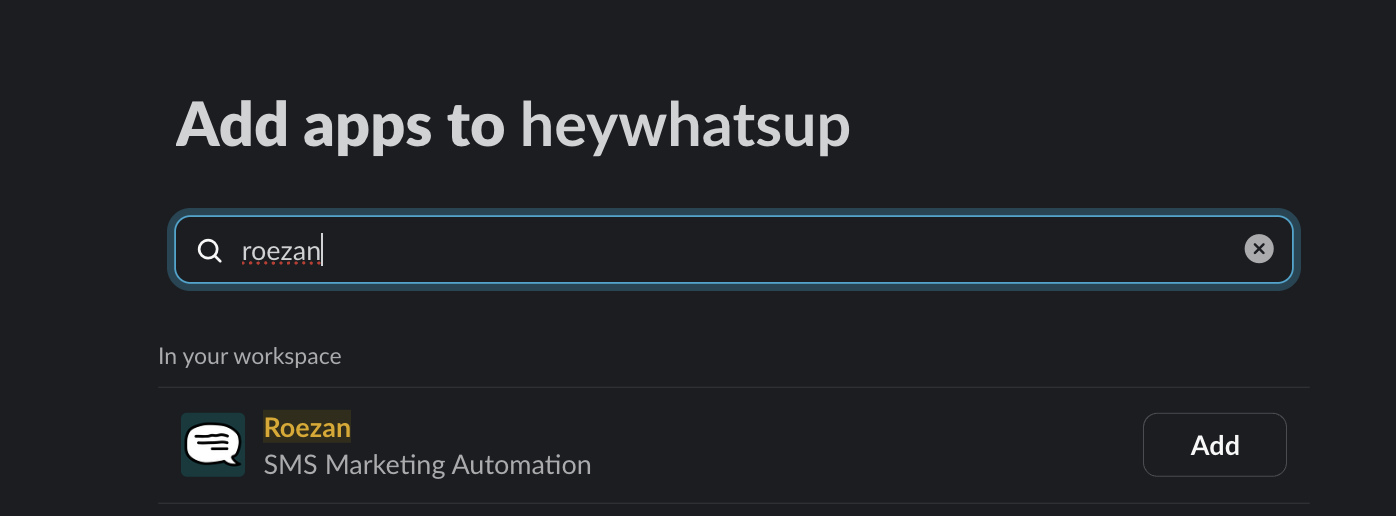
Then the channel should become available in Roezan as an option.