With Roezan Notifications, you can set up alerts when various events happen in Roezan.
See Notification Settings in Settings > Notifications
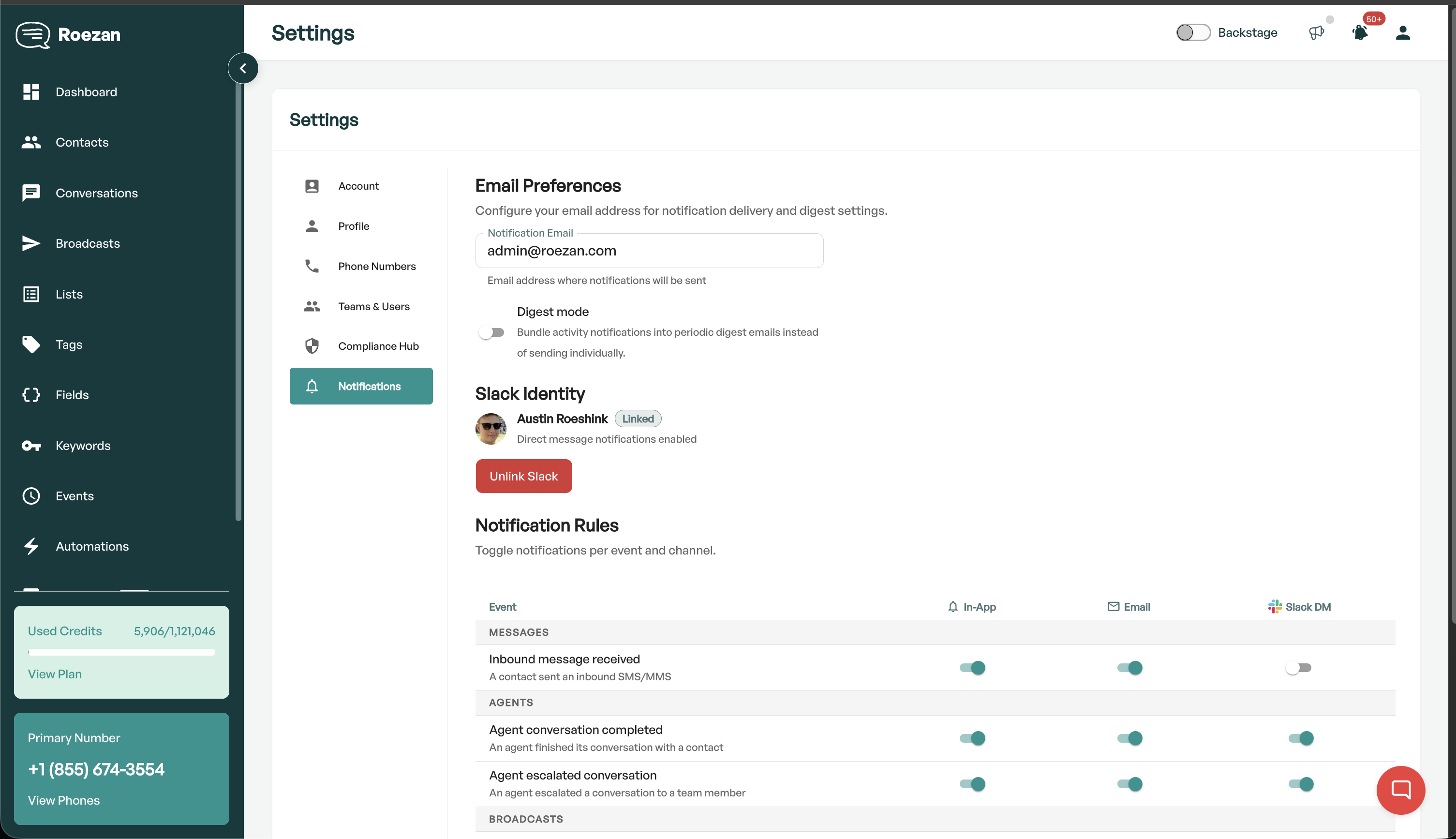
Notification Channels
There are 3 Channels for alerts you can enable:
Slack (DM and/or Channel)
Email
In-App
Slack Notfications
First connect your Slack on the integrations page.
If you'd like to set up channel notifications, you can set them on the Slack Integration settings
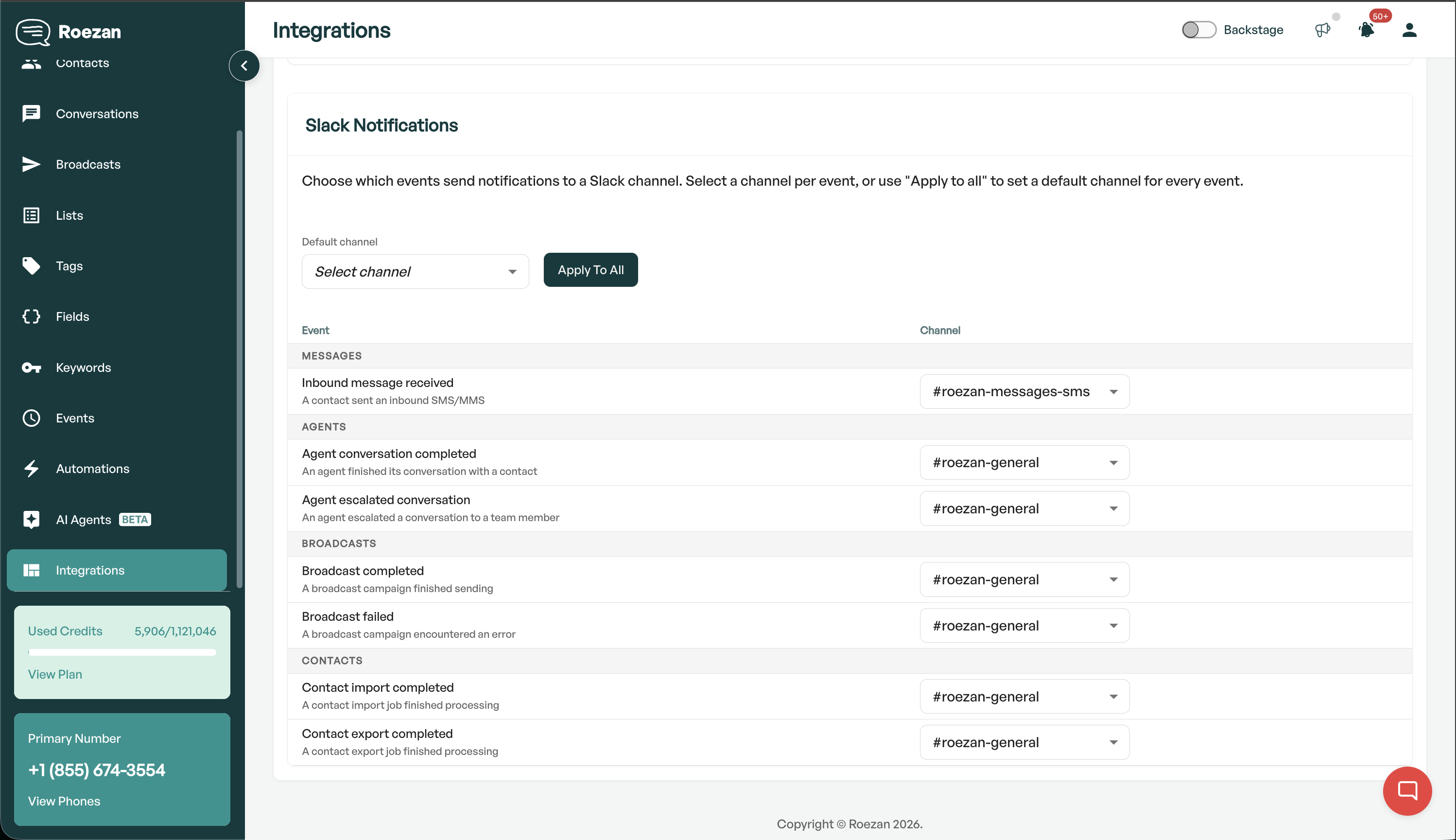
For DM notifications, you can set personal settings on the user Notifications page
Alert Types:
Messages
Inbound message received
Agent
Agent conversation completed
Agent escalated conversation
Broadcast
Broadcast completed
Broadcast failed
Contacts
Contact import completed
Contact export completed