With Roezan's EverWebinar integration, you can send automated SMS reminders for your EverWebinar events.
Benefits:
Dramatically improve your show up rate (often 50%+ Improvement!)
Complete customization of confirmation and reminder messages
Fast SMS throughput (Messages will go out near instantly even with large events)
Optionally use Shortlinks for your EW joinlinks (Everwebinar links are long and ugly - use our built in shortlinks to save money on SMS!)
Pre-Setup: How To Add A Phone Field To EverWebinar Events
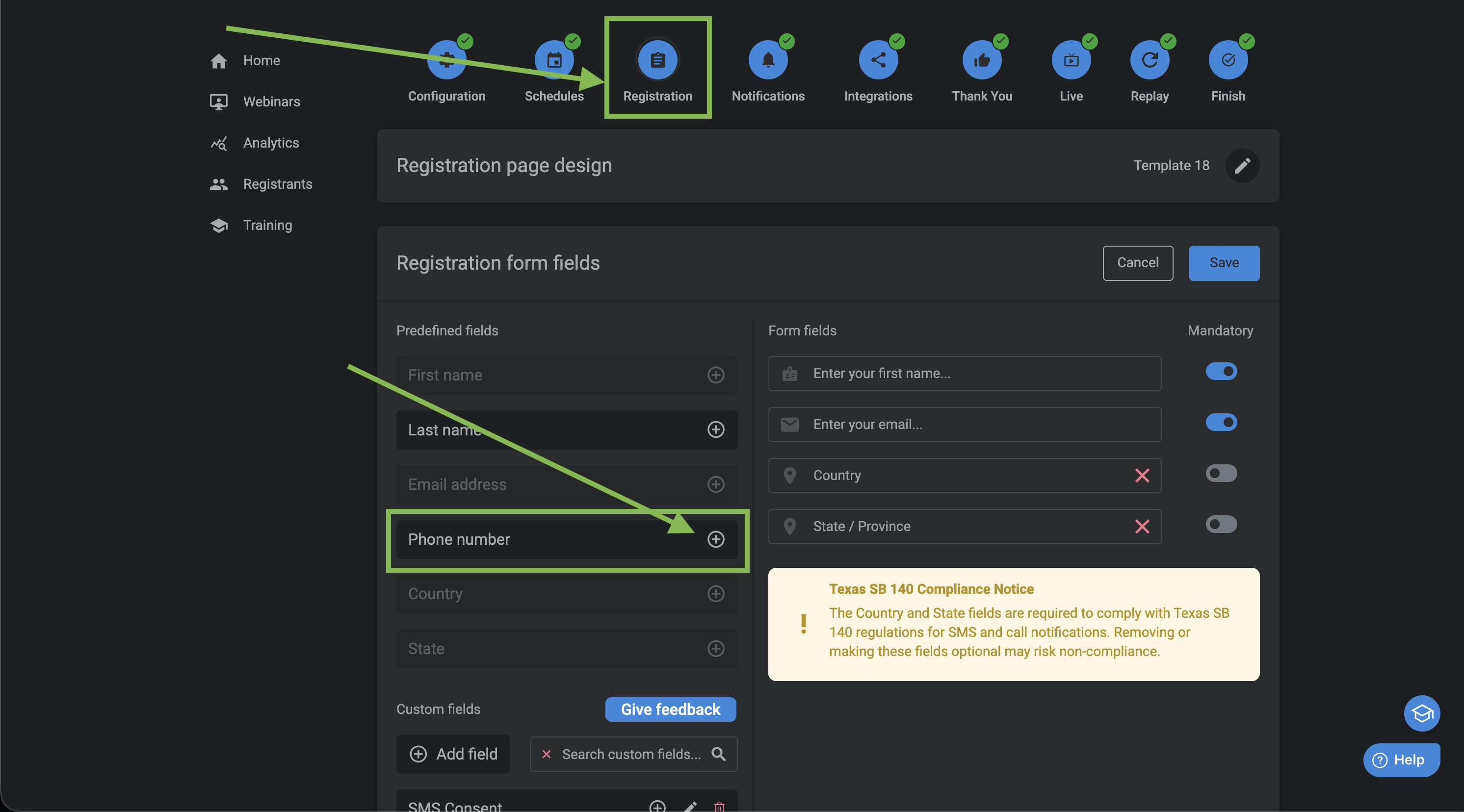
First thing is to add a phone field to your event so you can text people!
Go into each event Edit > Registration > and add the phone field to the registration form
Next up, we'll connect Roezan with EverWebinar
Part 1: EverWebinar Account Setup
Here we'll set Roezan as your custom integration on the EverWebinar Account level.
Getting API Access
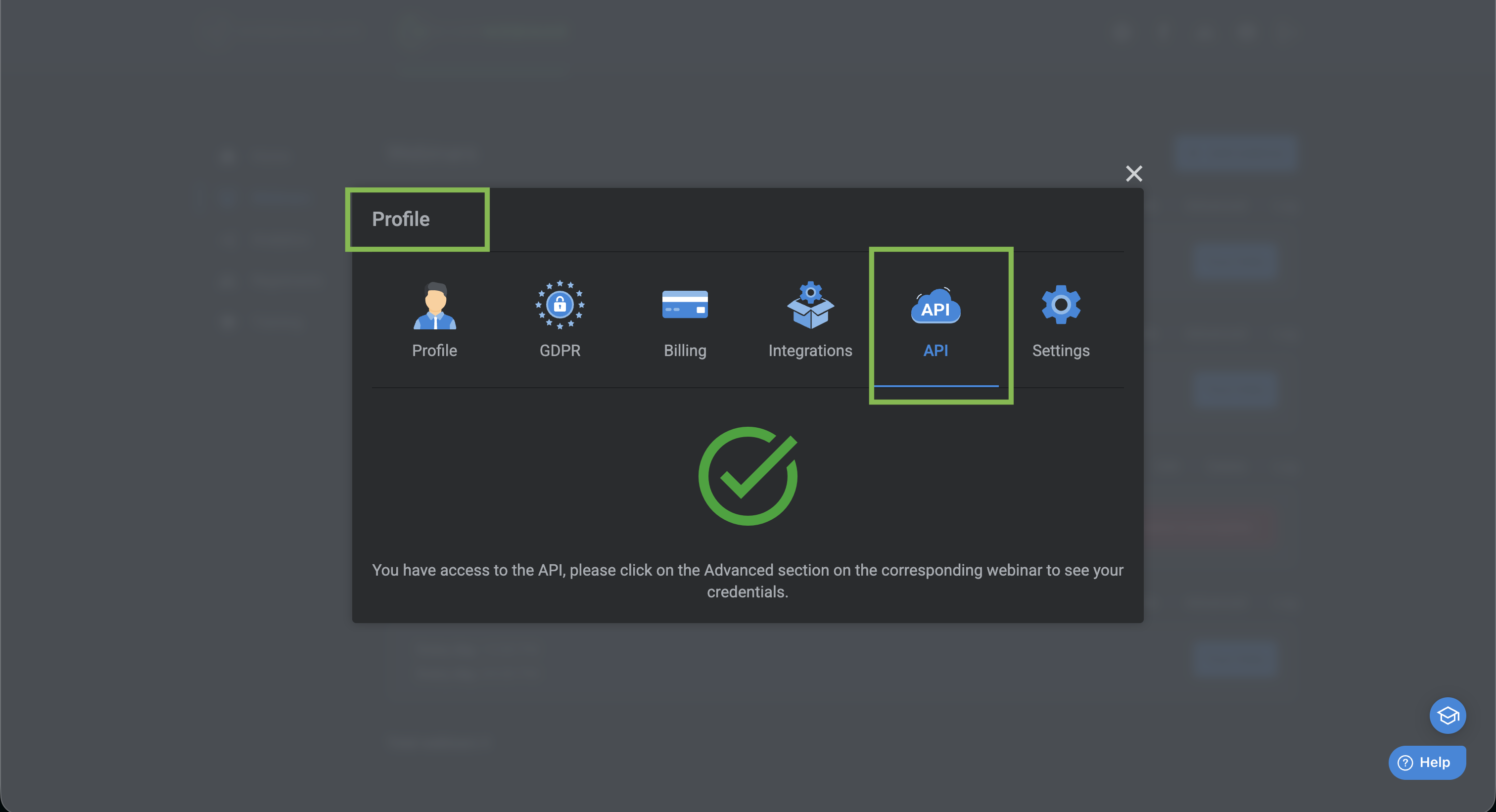
In your EverWebinar admin account (not subuser) - Request access to the API.
Go to your Profile > API > Request Access
Setup Roezan As Custom Integration
Go to your EverWebinar Admin Profile > Integrations > Custom Webhook (Edit)
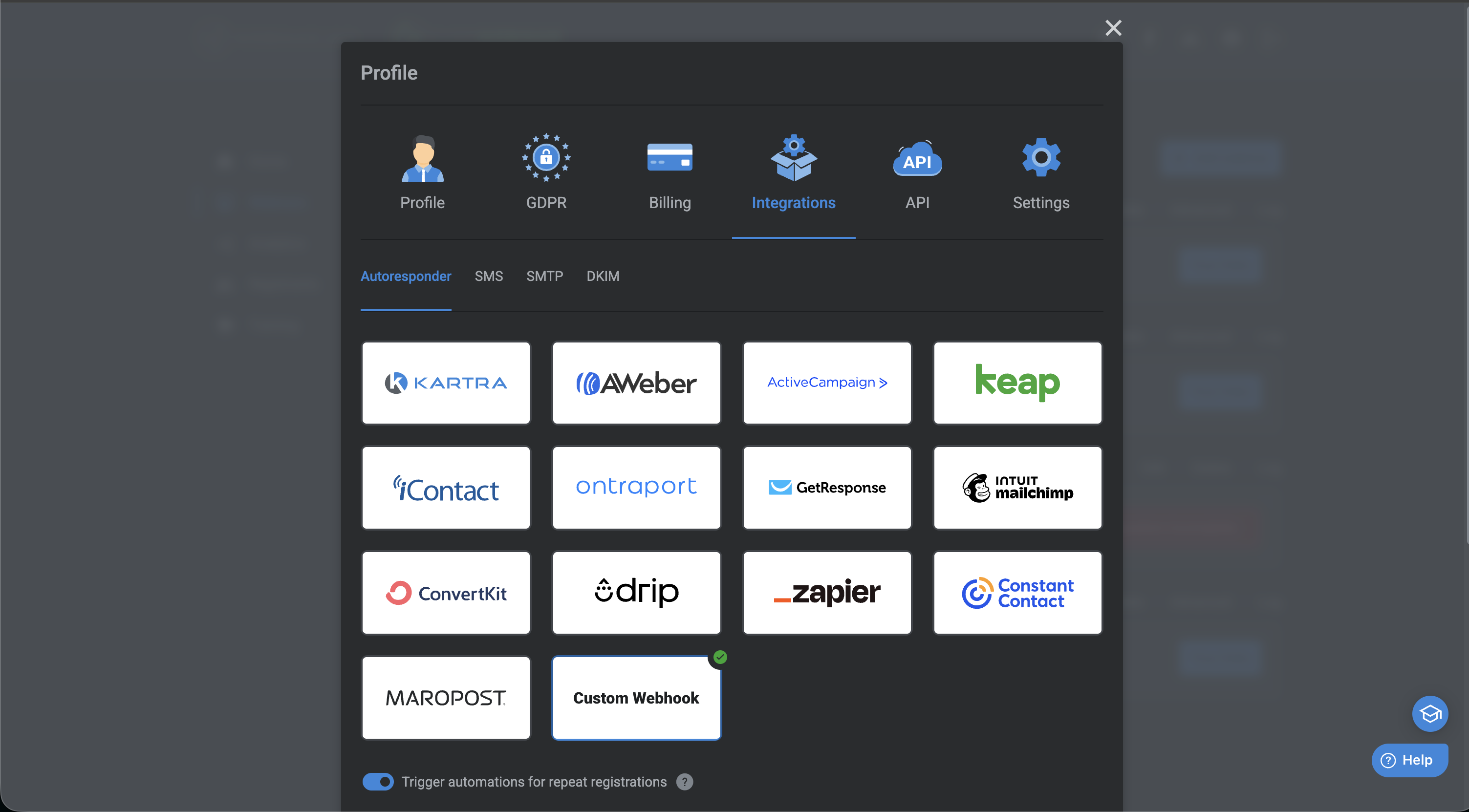
Add the following Values:
Base Webhook Url: | https://hooks.roezan.com |
Authentication Type | Custom Headers |
Custom Header: | x-api-key |
API Key: | [Enter Your Roezan API Key Found on your Roezan Profile Page. ] |
Part 2: EverWebinar Event Setup
The next step is to add triggers to send to Roezan for each event.
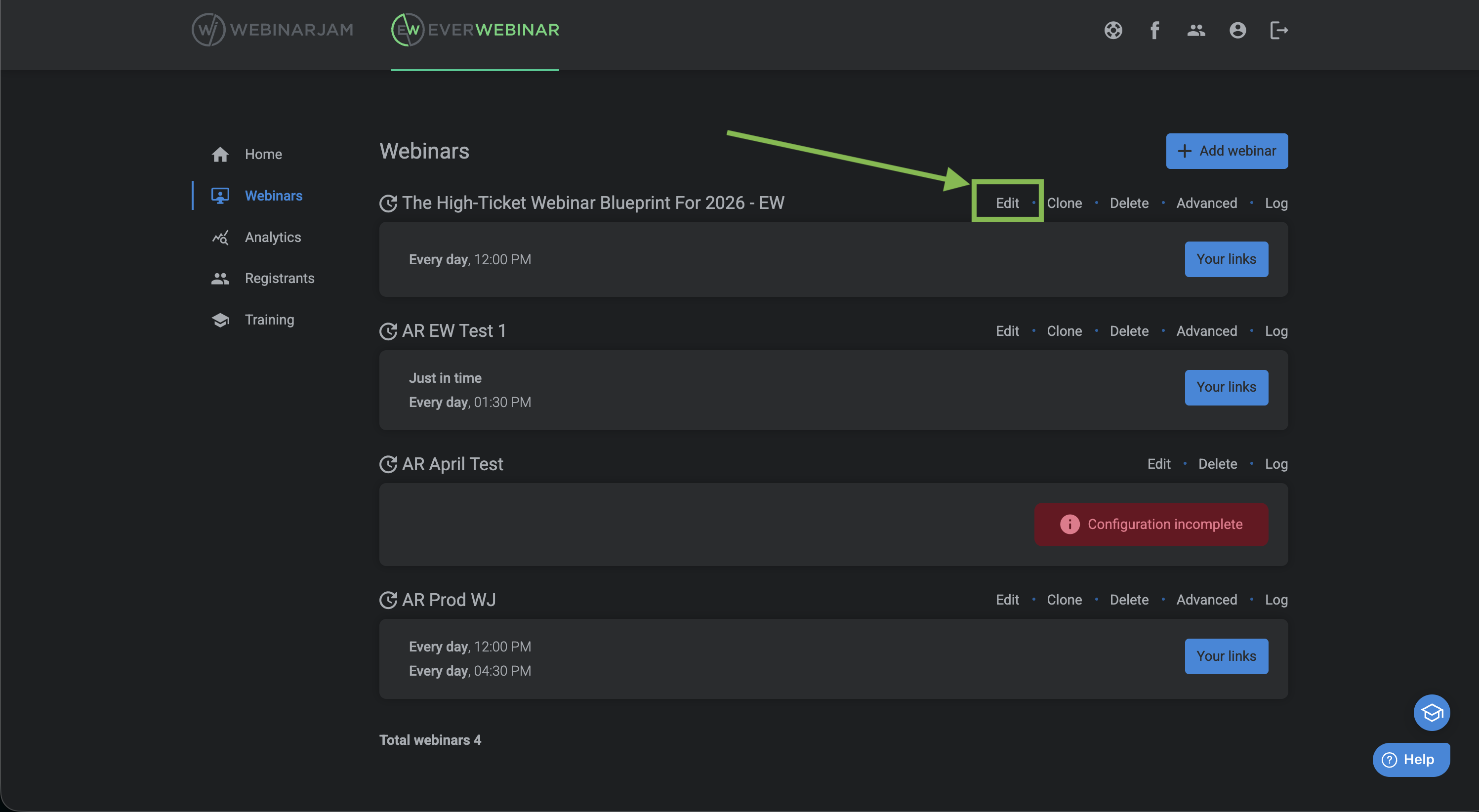
Go to to you event and click 'Edit'
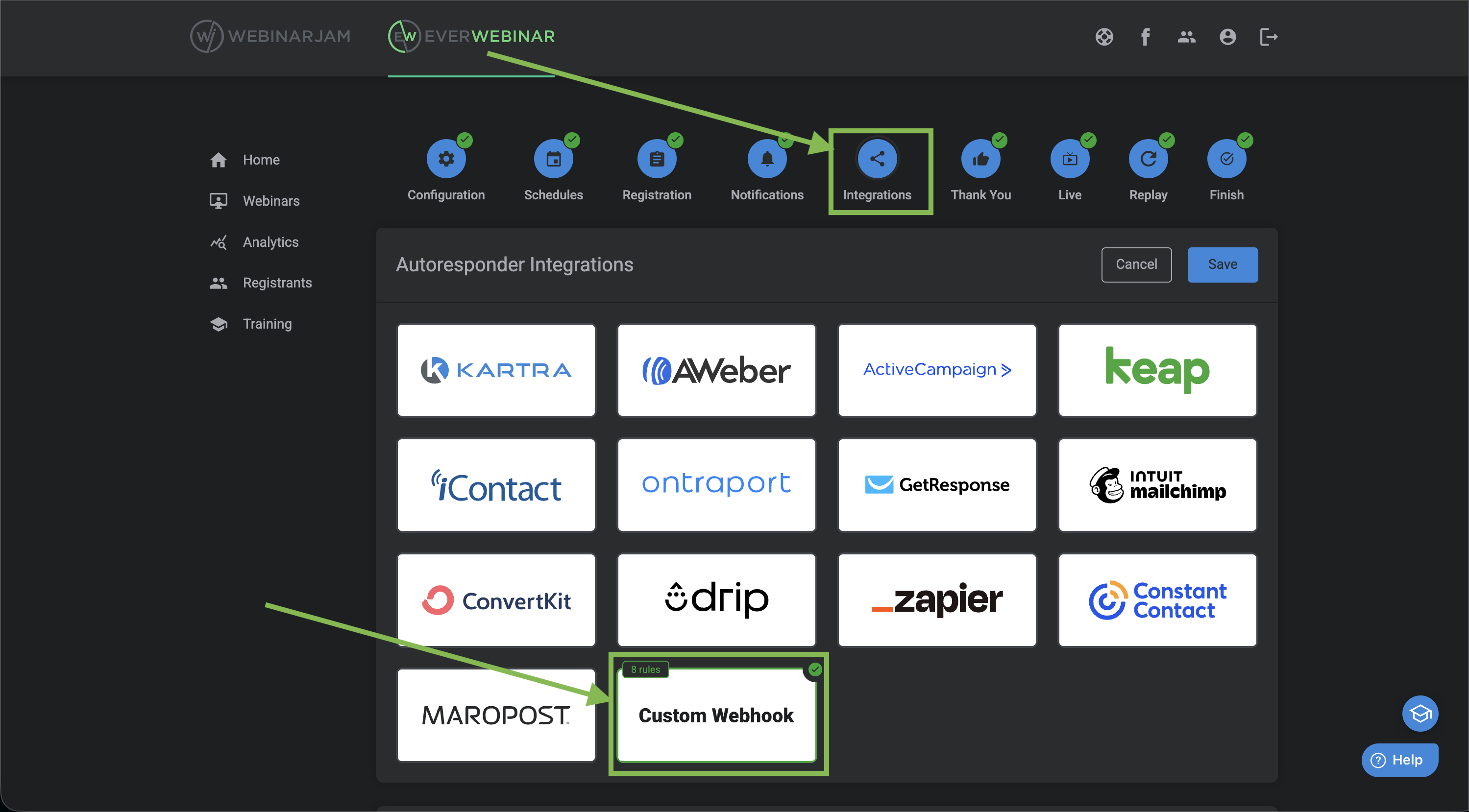
Go to Integrations > Custom Webhook (Edit)
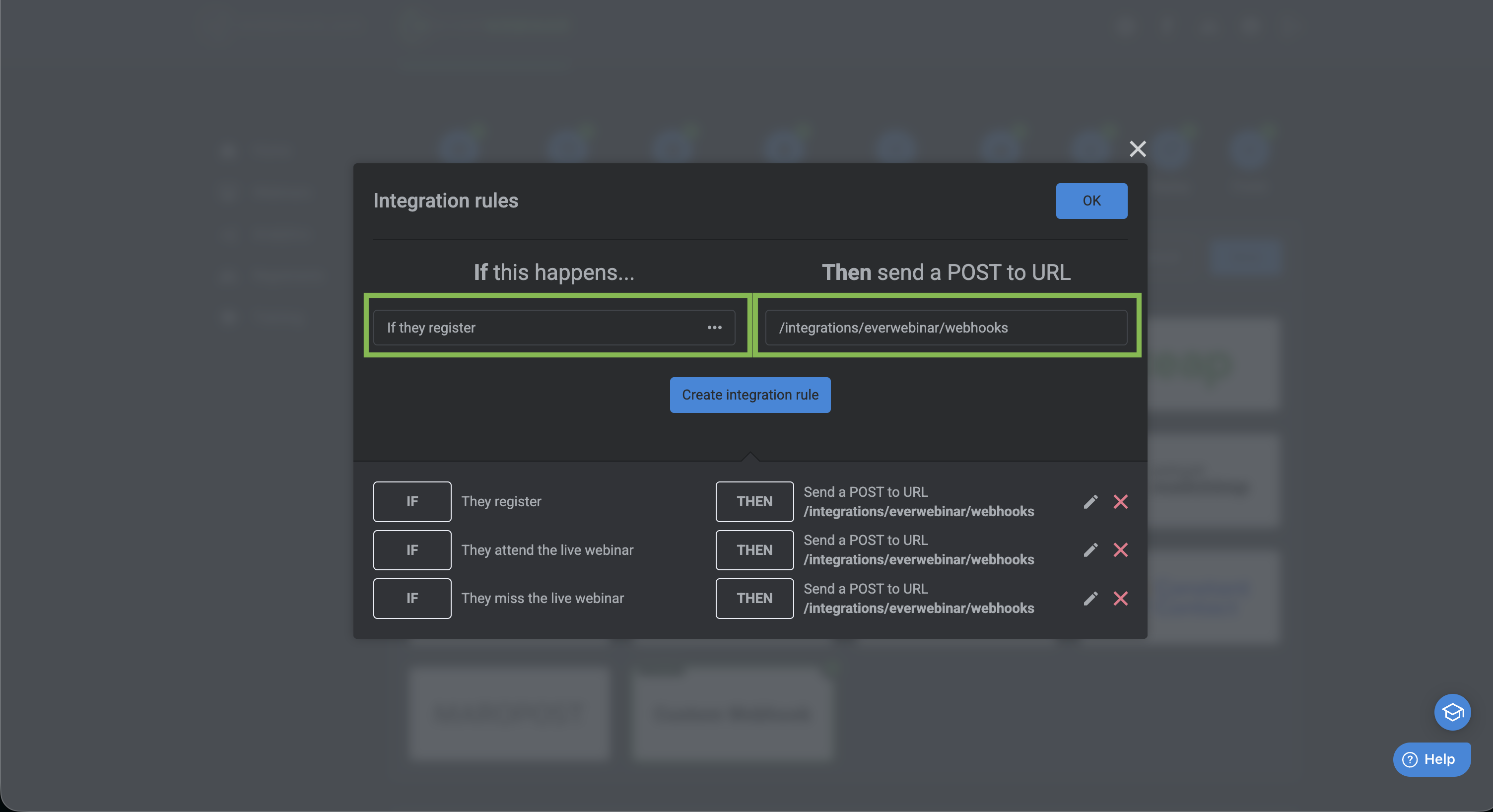
Create An Integration Rule for each event and set the post url to the following:
Post URL | /integrations/everwebinar/webhooks |
Post URL | /integrations/webinarjam/webhooks |
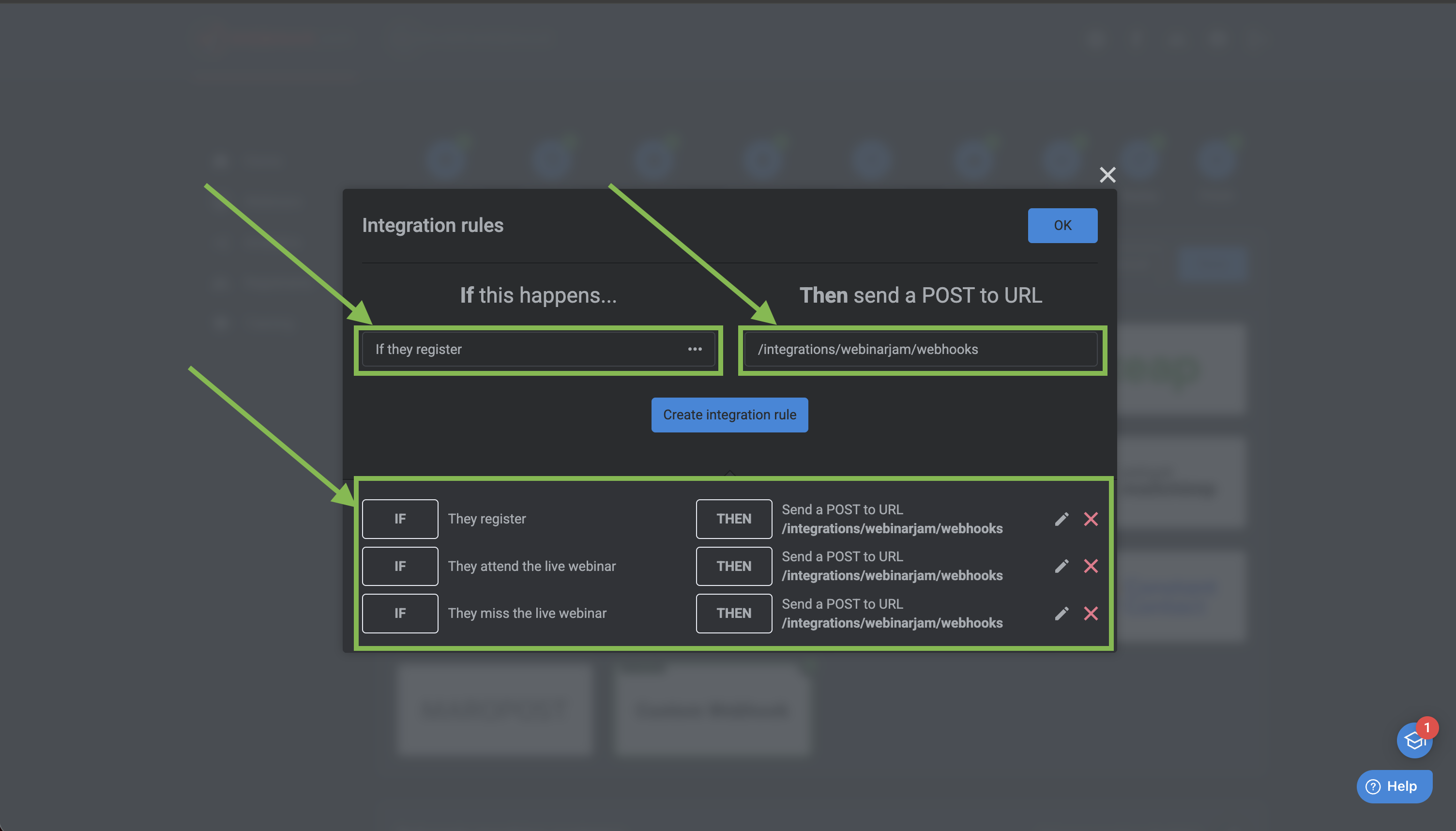
Please create these 2 triggers:
If they register
If they attend
Part 3: Setup Reminder Template In Roezan
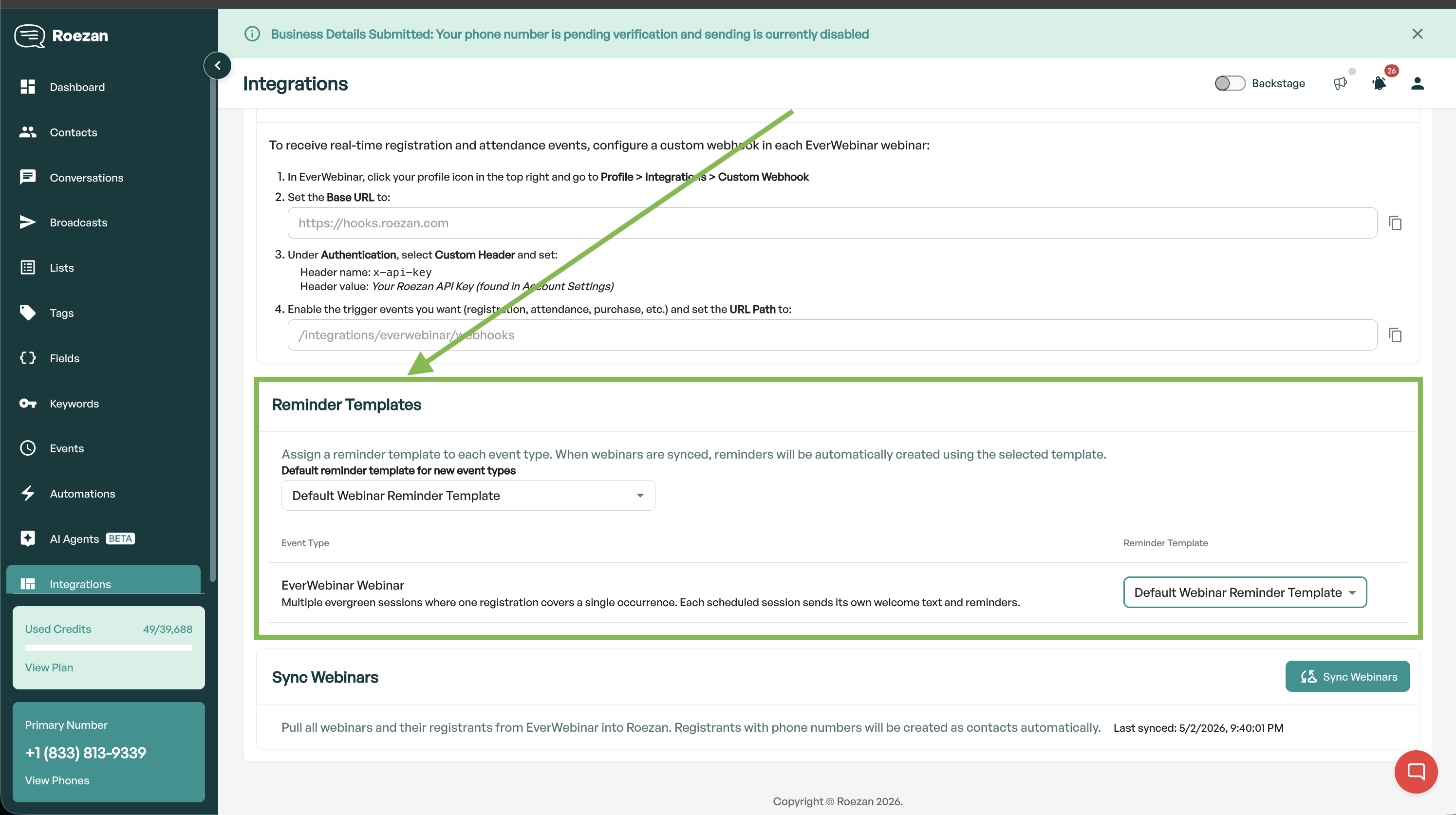
Roezan allows you to easily create reminder templates so that each new event uses the same reminders (customized with merge tags).
You can set the default reminders in Roezan on the EverWebinar Settings Page
Part 4: Check Your Reminders & Events
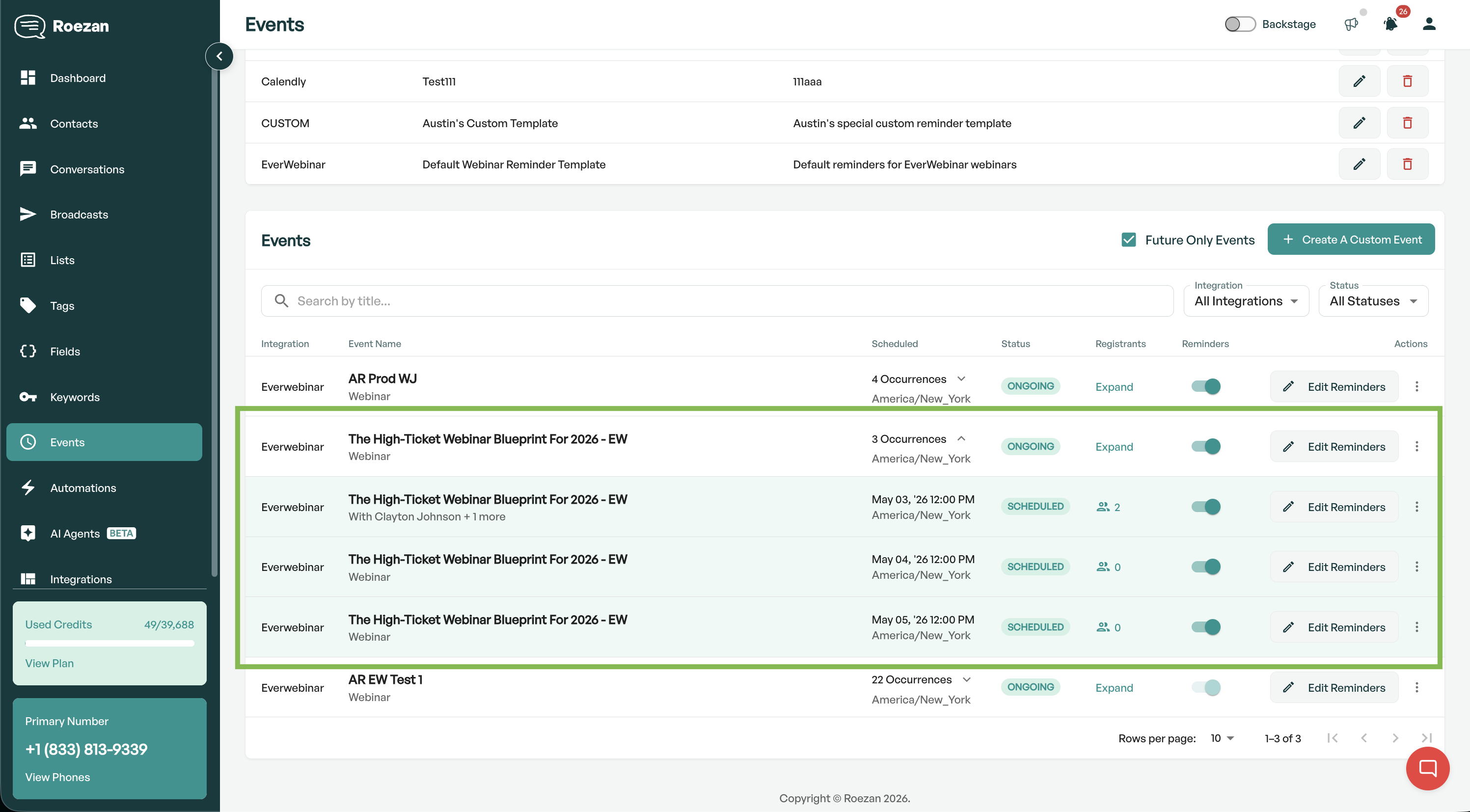
Your webinars will start syncing automatically or you can hit "Sync Webinars" on the Roezan EverWebinar Settings Page.
Any webinars will show up in your Events table on the events page.
Post-Event Messages
Post-event messages are follow up messages after your event is over.
By default we'll calculate the end time of the event based on the event duration, however you can manually override it.
With these messages, we automatically pull segment data from your event, so you can send messages based on what happened.
Segments:
All Registrants
Attended
Did Not Attend
Stayed Until
Left Before
Tags: (Has tag, does not have tag)
Lists: (Subscribed to list, Not subscribed to list)
Preview & Test Reminders
Notes
Events In Users Time Zone Upon Integration Activation:
For events with the webinar schedule "in the users timezone" it is not possible to get the registrant's timezone from the EverWebinar API, unless we capture the registration in real time. Therefore any historical registrations that happened before turning on "Sync Events" will not be imported.
EverWebinar Replay Events:
We currently do not support sending confirmations, reminders, nor post-event messages for EverWebinar replay events, as there is no set time for them to start. Registrants can register at any time and instantly view the replay, so reminder messages don't make sense (nothing to remind - the event starts instantly). However, we will create an "instant replay" generic event / catch-all in the events table.
Troubleshooting & FAQ
My events don't show up even though I've connected EverWebinar
First, please make sure that in your EverWebinar settings page, if you want to sync a specific webinar, make sure to turn on 'Sync Events' for that webinar.
After you turn on 'Sync Events' for that webinar, we can start syncing in events.
EverWebinar unfortunately doesn't send us events when they are created, but we create them 3 ways:
When you get a registrant
When you hit "Sync Webinars" in your Roezan EverWebinar settings page
Alternatively we just check every 5 min for new events if your EverWebinar integration is active.
Note: Feel free to hit up EverWebinar support and ask them to add this to their API, and ask them for a native Roezan integration!
My registrants aren't showing up in Roezan
Make sure you
Added a phone number to the event's registration page
Setup WebHooks at the event level for registration (must be done on each event!)
If you're testing, use a real phone number (fake phone numbers are sometimes rejected).
My Registrant Numbers in EverWebinar Don't Match Roezan
This is common and the differences are expected.
EverWebinar displays ALL registrants in their analytics.
Roezan will only display registrants that
Have a valid phone number: Some registrants may not have a valid phone number, or didn't put in their phone number
Have a unique phone number: Someone can register multiple times with different emails but the same phone number. We'll only display unique phone numbers.