
With Roezan it's easy to setup automatic SMS event reminders for Calendly Round Robin events.
However, Calendly is particular in how this needs to be setup.
Round Robin events must be created from a Team page in order to show up in the API (so Roezan can call them).
Here's how to do it:
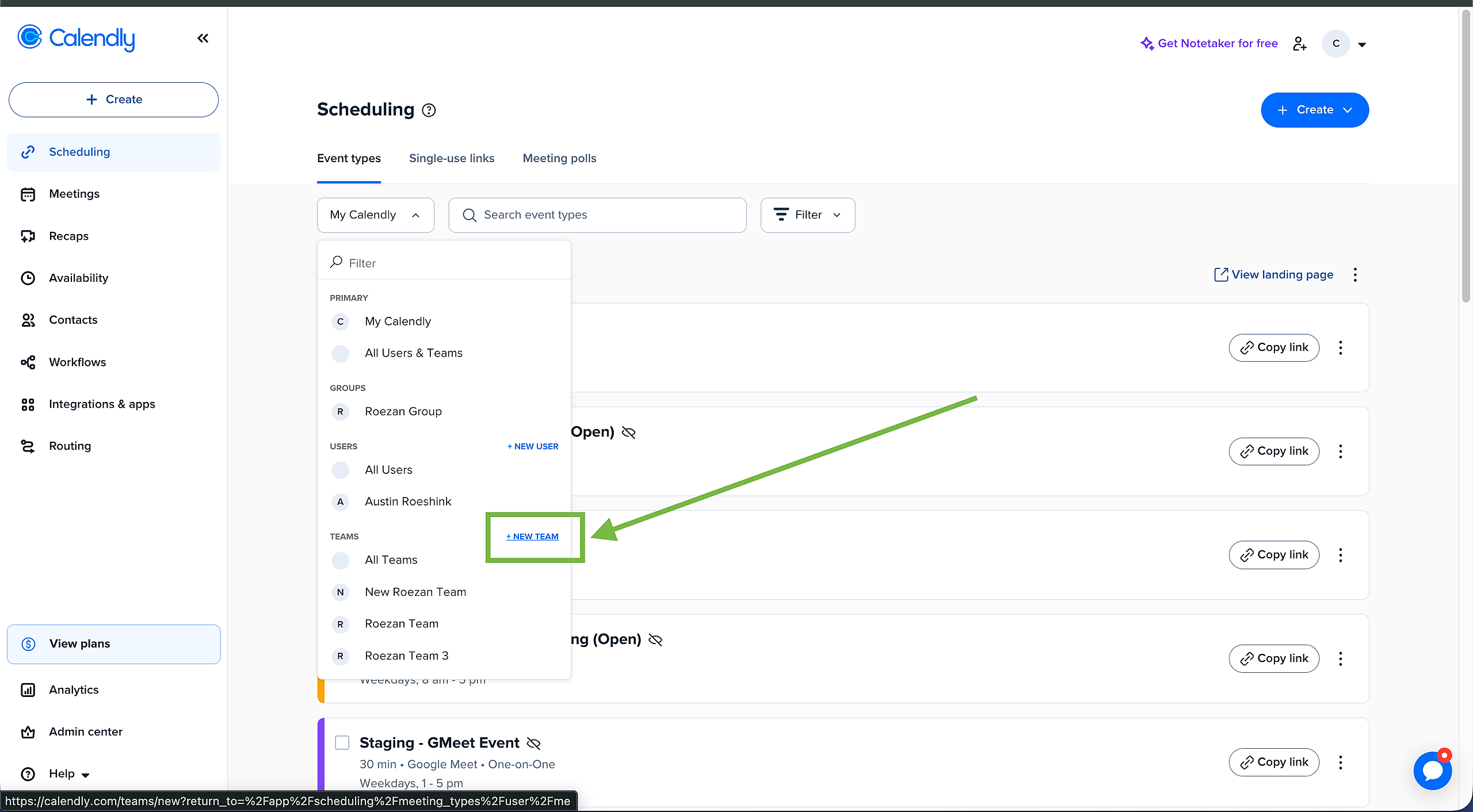
1. Set Up A Team In Calendly
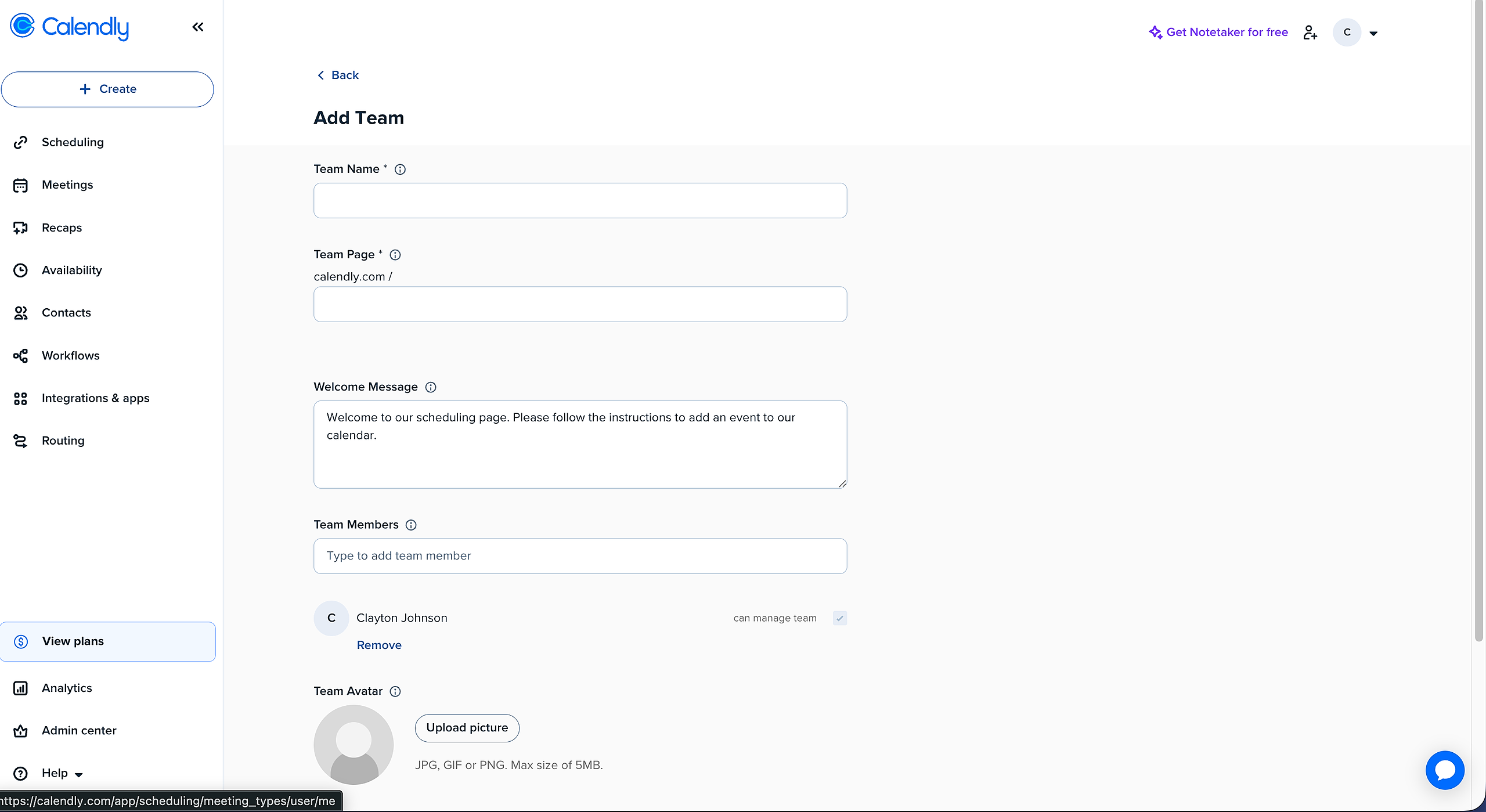
Fill out the details:
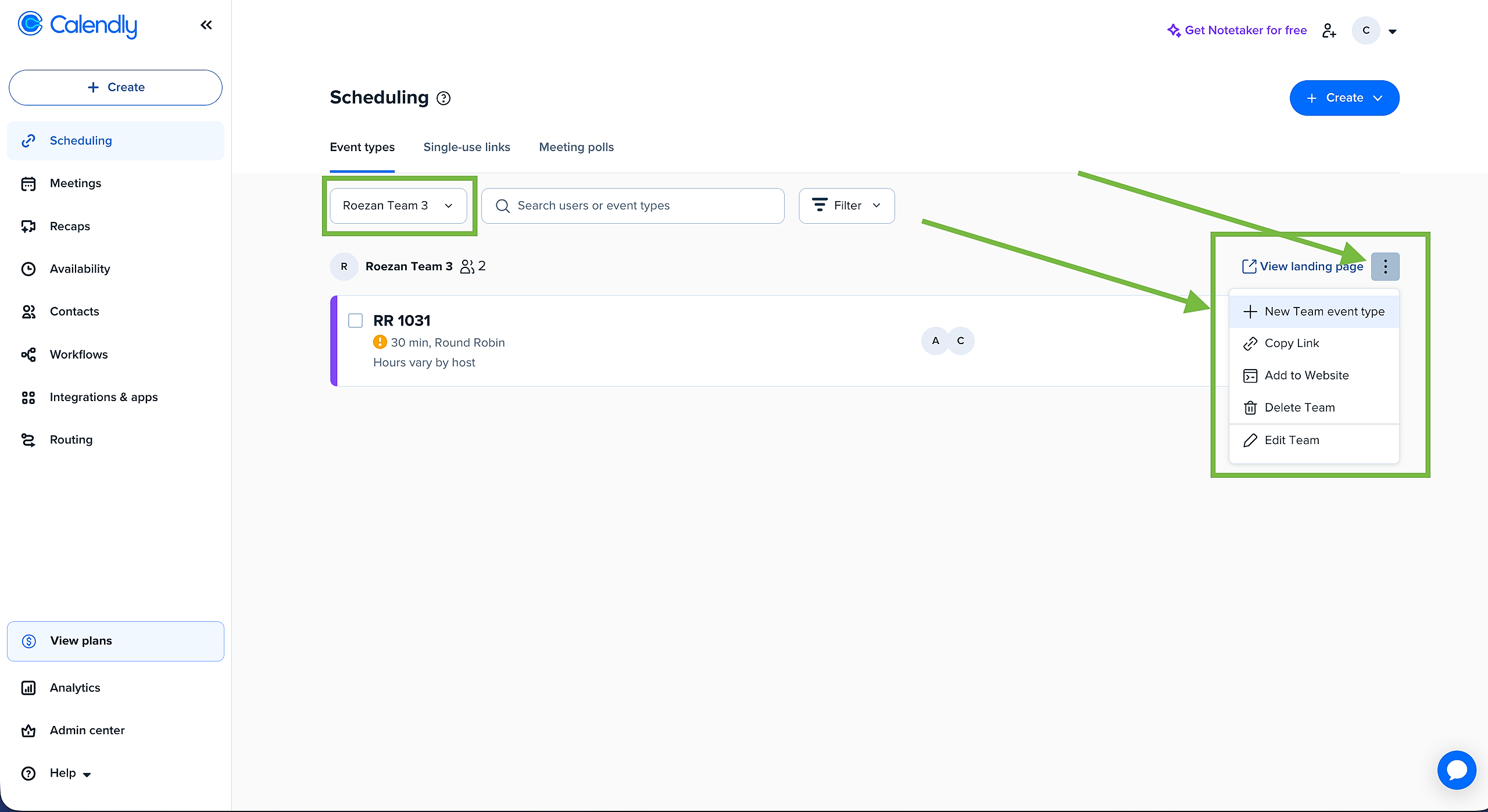
2. Create A New Round Robin From The Team Page
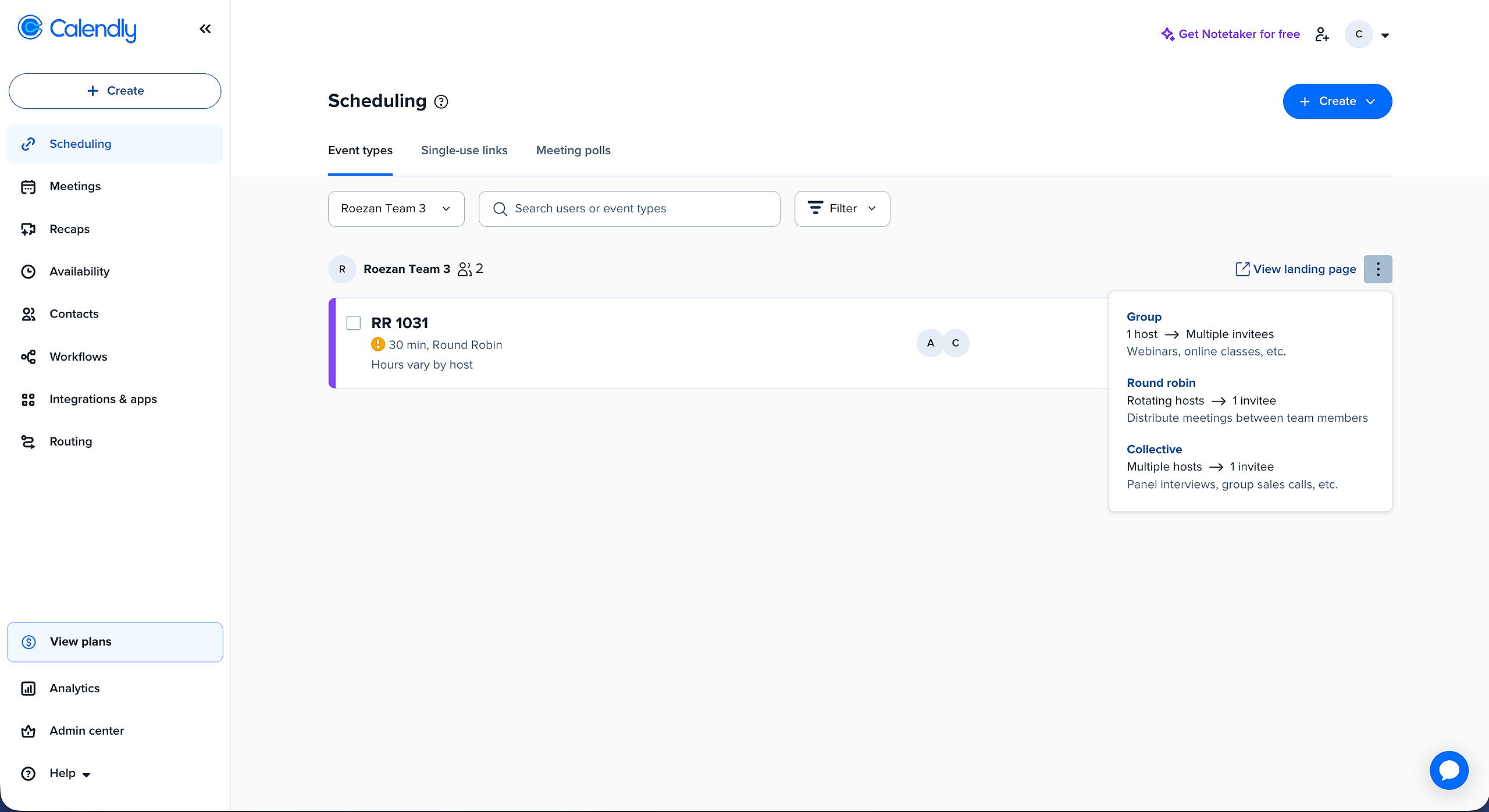
Select the team you want to use from the dropdown, then click the 3 dots on the right hand side and create a new Team Event
Select the event type you want:
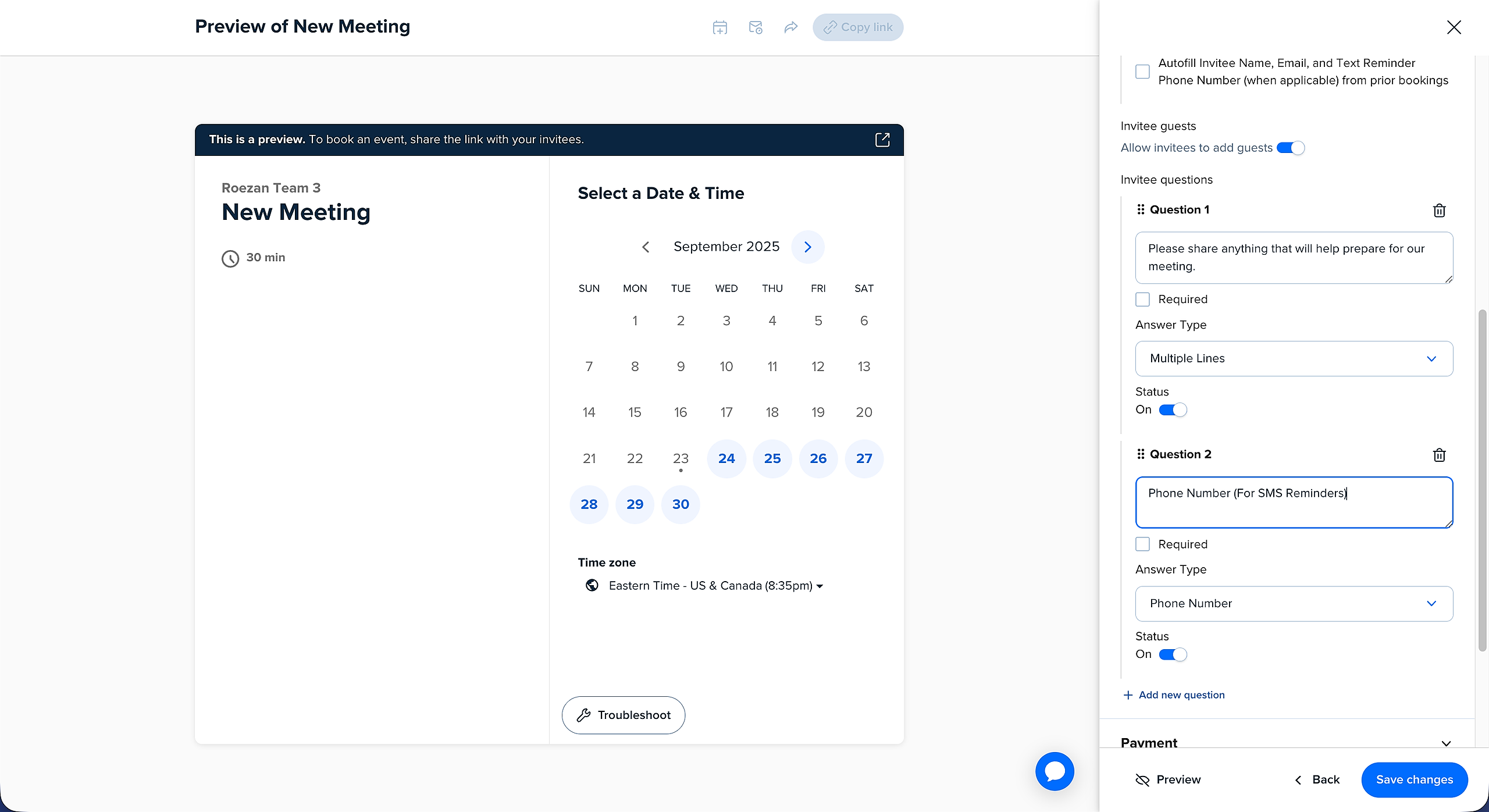
3. Make Sure To Add A Phone Number To The Questions
If you want to send SMS reminders, you'll need to collect the phone number!
4. Sync Users In Roezan
In Roezan, go to Calendly settings and hit "Sync Users"
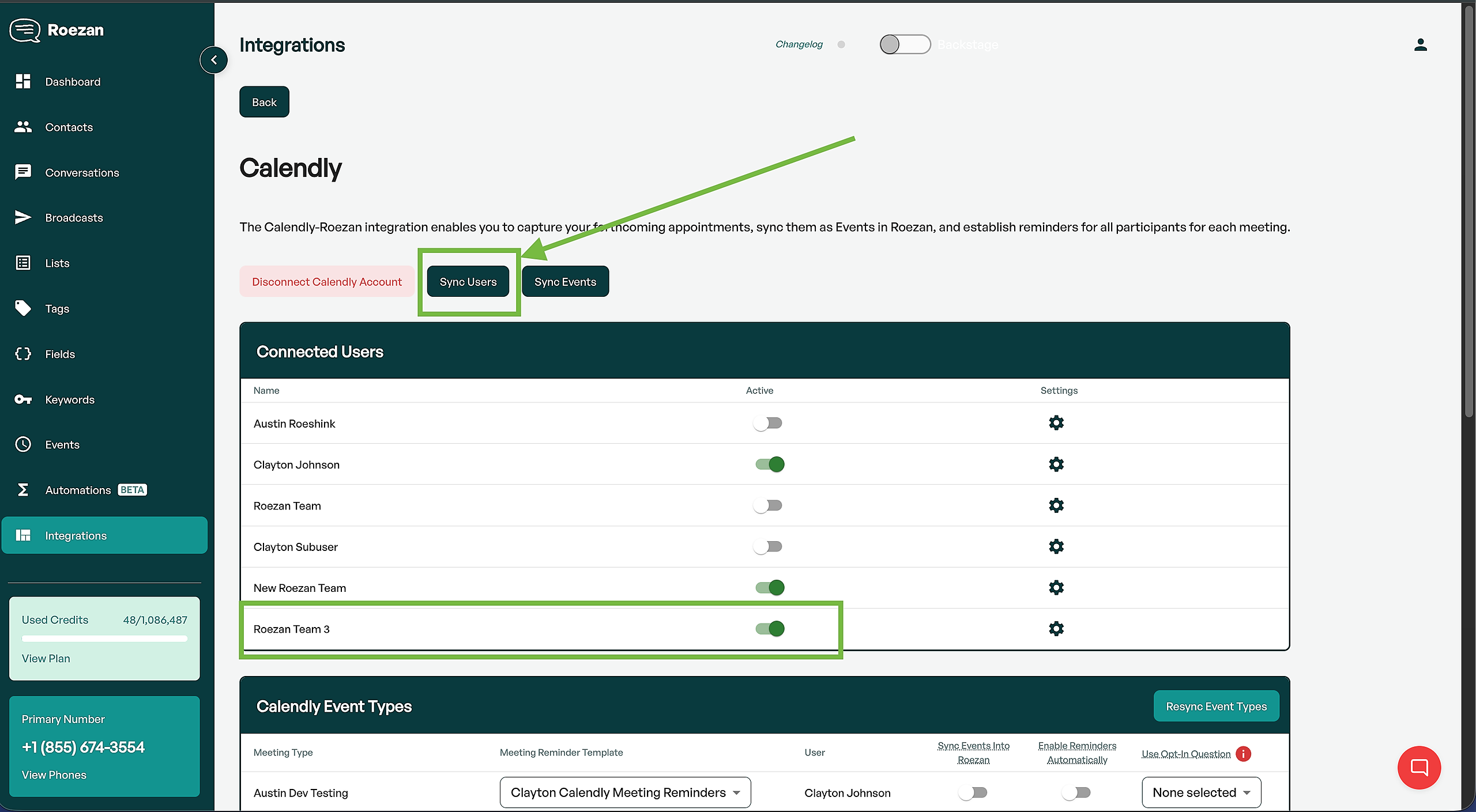
Your team will come up in the users list, and you can configure your event notifications from there!