

Agency Mode is a feature in Roezan that allows you to easily manage multiple accounts.
With Roezan's Agency Mode you can :
Add your clients to your Agency portal
Check the A2P status
Monitor credit usage
Check billing status
Login to your client accounts
Switch between client accounts
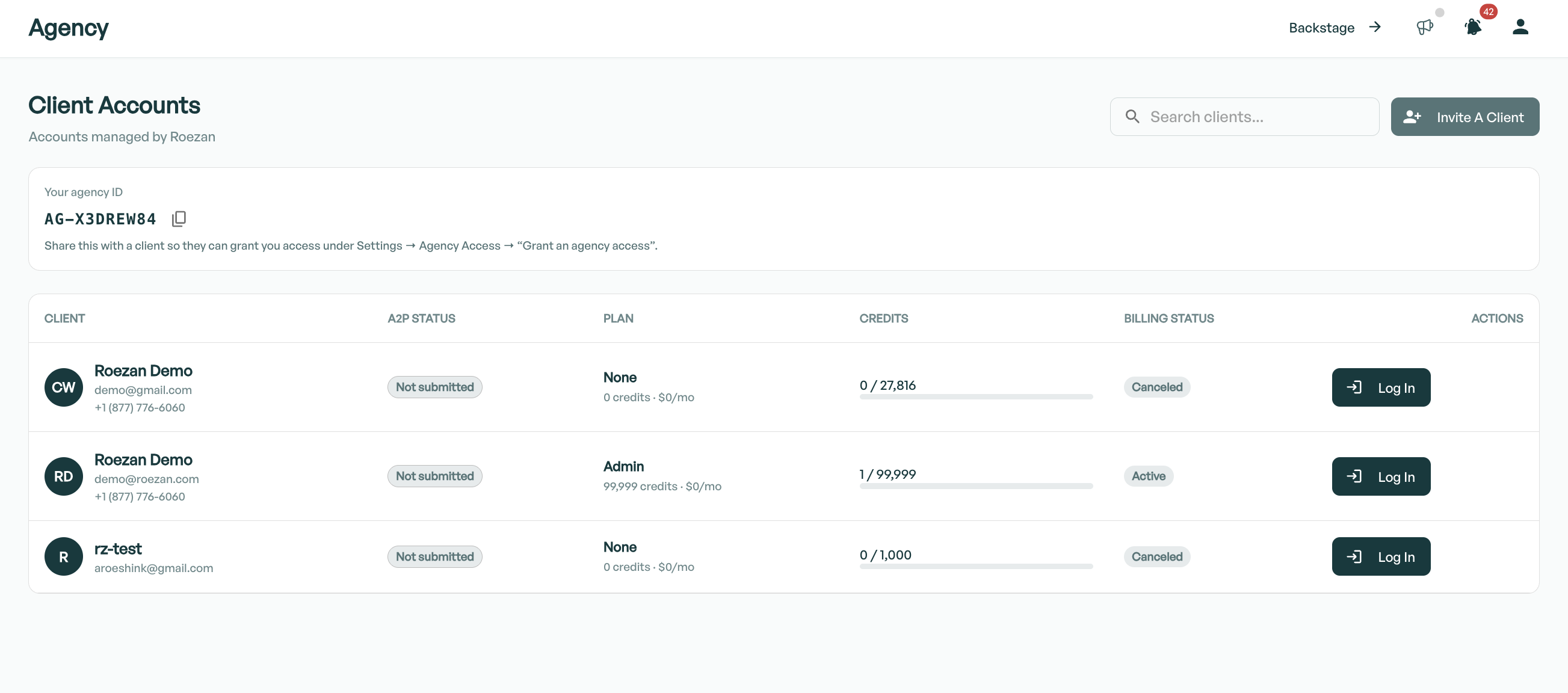
Enabling Agency Mode
Agency mode must be enabled by Roezan support. Please contact us to get access to this feature.
Access The Agency Portal
You can access the Agency Portal by selecting "Agency" in the left hand menu, or visiting the agency URL: https://app.roezan.com/agency
How Clients Can Grant Access To An Agency
Give these instructions to your clients to have them invite you as an agency.
You'll need to give them your Agency Code (visible in your agency portal)
Login to your Roezan account
Go to Settings > Agency Access: https://app.roezan.com/admin/settings/agency-access
In the section "Grant an agency access" invite the agency with your code
How To Accept A Client As An Agency
Login to your Agency Account and accept the invitation.